
-
Go to billetto.com and find the event you want to buy tickets for.
-
Select your tickets and click “Buy tickets”.
-
Enter your contact details and proceed to the payment page.
-
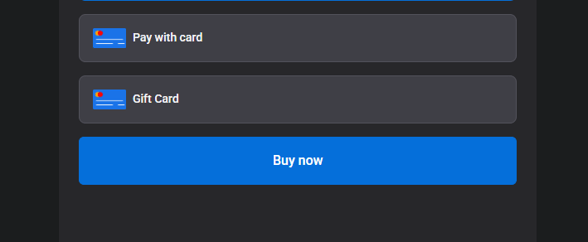
On the payment page, find the field “Gift card” and click on it.
-
Enter your gift card code and click “Buy Now”.
-
The gift card value will be automatically deducted from the total price.
-
Complete your purchase.
Important information
-
If the gift card value is higher than the ticket price, the remaining balance can be used later.
-
If the ticket price is higher than the gift card value, you can simply pay the difference using another payment method.
-
Gift cards can only be used for events from the organiser you purchased the gift card from
If the gift card doesn’t work:
-
Make sure the code is entered correctly (no spaces)
-
Contact Billetto Support for assistance support@billetto.com