Drop Sales is a new feature that allows you to release tickets in stages. It helps you build demand, create urgency, and increase conversions by giving you full control over when and how your tickets become available.
With Drop Sales, you can guide buyers through a clear, high-converting ticket release flow.
Staged ticket releases (sold-out sequencing)
You can set up your tickets to be released automatically in a specific order. When one ticket type sells out, the next one opens immediately.
This means buyers always see what’s available right now, while sold-out tickets act as demand signals that encourage faster decisions.
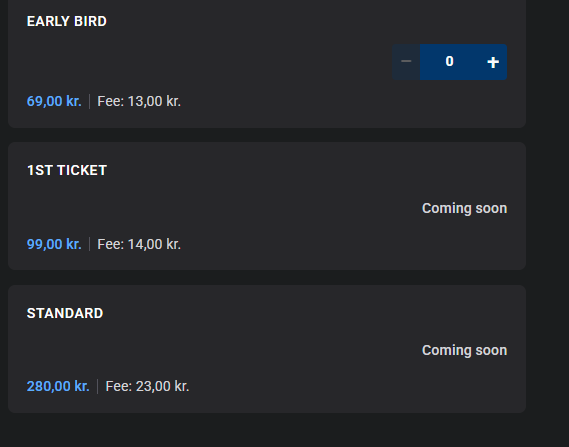
Coming Soon labels
Warm up demand before tickets go live.“Coming Soon” labels show buyers that more tickets will be released, helping you capture early interest and build momentum ahead of the drop.
Show actual release dates
Give buyers full clarity by displaying exact launch dates and times.
Whether you are running timed drops or phased pricing, Release Date labels help fans plan ahead and return at the right moment when sales open.
Hide upcoming tickets
When setting up your ticket order, you can choose whether upcoming tickets should be visible or hidden.Hidden tickets are completely removed from the buyer view until their release date is reached or the sequence unlocks them.
How to set automatic release:
-
Go to My Billetto.
-
Click on the event you want to set this up for.
-
Click on the three dots next to the ticket type and select Edit.
-
Click on Advanced option.
-
Go to “Set up order for automatic release of next ticket” and click Yes.
-
Choose the next ticket type in the sequence and click Save.
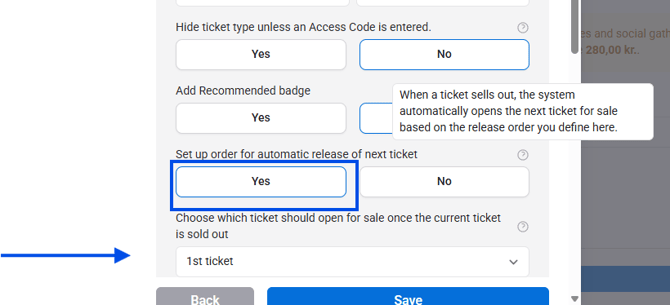
You cannot create a "circular" ticket flow, only a linear flow (meaning you can only go one-way from one ticket to the next and not back and forth).
Once you’ve selected the next ticket you want to set up for release, you can choose how it should appear on the buying page before it is released. You have two options:
-
Show with “Coming soon” on the buying page
-
Completely hide the ticket from the buying page
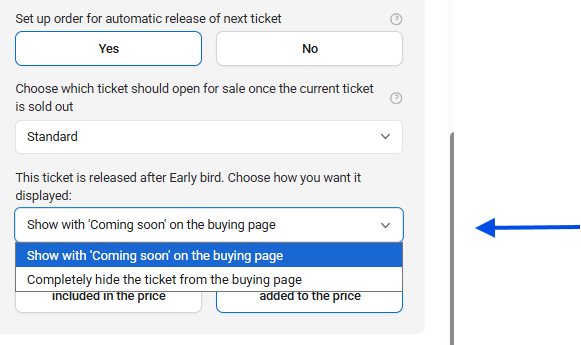
This is how it is displayed on the event page: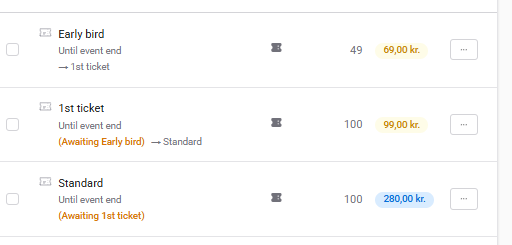 This is how it is displayed in the purchase flow:
How to show actual release dates:
-
Go to My Billetto.
-
Open the event you want to edit.
-
Find the ticket type you want to update.
-
Click the three dots next to the ticket type and select Edit.
-
Open Advanced options.
-
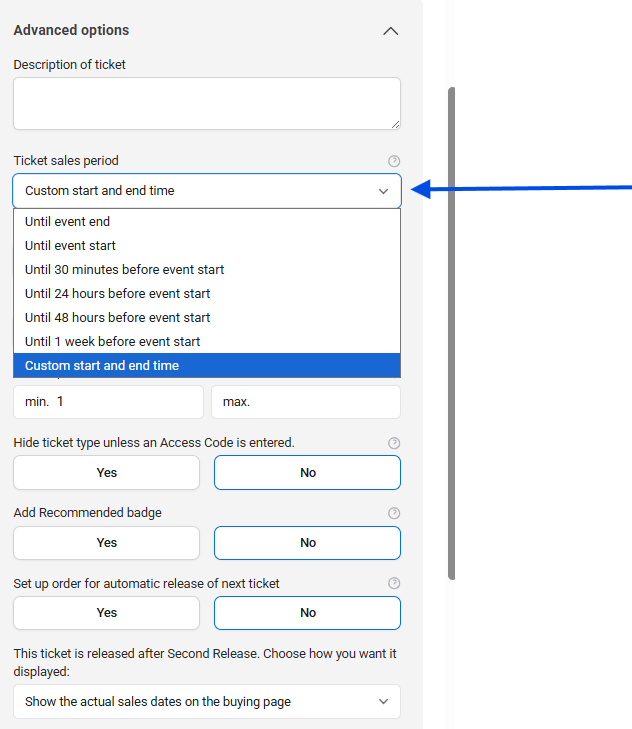
Under Ticket sales period, open the dropdown.
-
Select Custom start and end time.
-
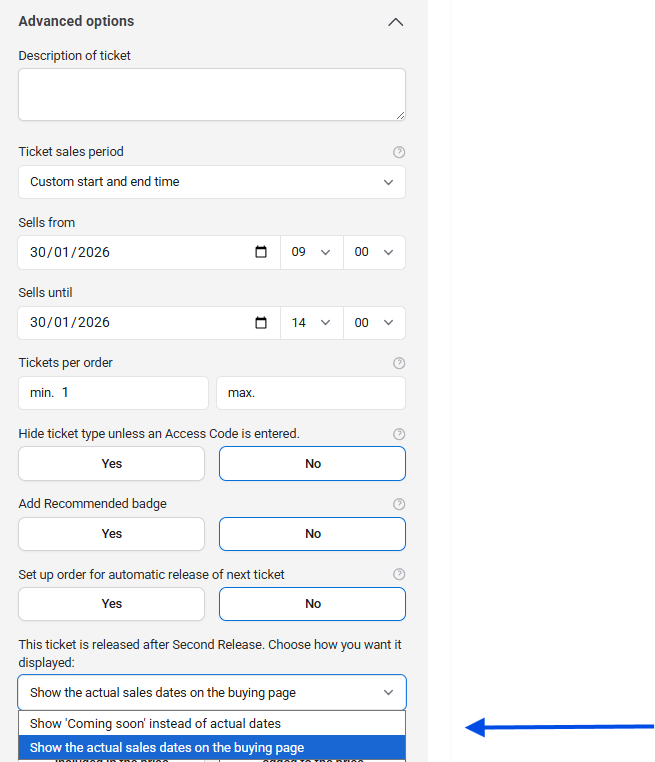
Enter the start date/time and end date/time.
- Choose display option, At this step, choose how the ticket release information should be shown on the buying page. You can either display the Show the actual sales dates on the buying page or show “Coming soon” instead.
-
Click Save.
How to hide upcoming tickets:
-
Go to My Billetto.
-
Click the event you want to edit.
-
Find the ticket type you want to update.
-
Click the three dots next to the ticket type and select Edit.
-
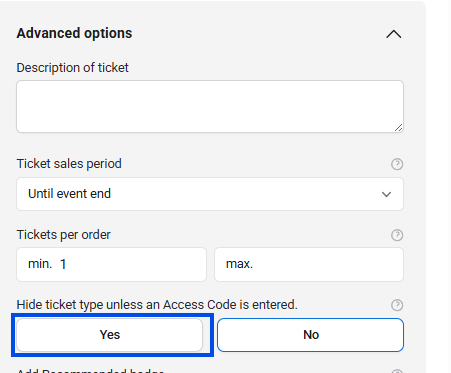
Open Advanced options.
-
Under Hide ticket type unless an Access Code is entered., click Yes to hide the ticket.